This topic includes:
▪Restoring The Default Settings
SCE Fluid simulates gas or liquids.
 |
|
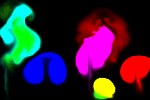 Default Settings |
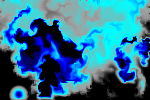 Customized Example |
▪This MADRIX Effects supports Effect Options for advanced workflows.
Learn more »Effect Options
▪Various buttons and controls have universal functions. They are available for each MADRIX Effect / Layer.
Learn more »Effect Areas [Deck A / Deck B]
Learn more »Layers
This MADRIX Effect uses the following, individual controls:
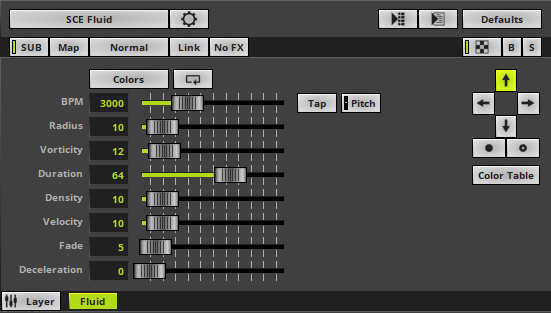
▪Colors - Opens the Color Table or Color Gradient depending on the Color Mode. The default colors are Red, Yellow, Green, Cyan, Blue, Magenta.
Learn more »[Global] Colors And Intensity
▪BPM - Defines the speed. The default value is 3000. Valid values range from 0 to 9999.
Learn more »Using BPM Control
▪Radius - Defines the size of impulses [in %]. The default value is 10. Valid values range from 0 to 100.
▪Vorticity - Defines how much impulses can swirl in the gas [in %]. The default value is 12. Valid values range from 0 to 100.
▪Duration - Defines how long impulses can move through the gas [in %]. The default value is 64. Valid values range from 0 to 100.
▪Density - Defines the thickness of the gas [in %]. The default value is 10. Valid values range from 0 to 100.
▪Velocity - Defines how fast impulses can move through the gas [in %]. The default value is 10. Valid values range from 0 to 100.
▪Fade - Defines how quickly impulses evaporate [in %]. The default value is 5. Valid values range from 0 to 100.
▪Deceleration - Slows down the movement of impulses [in %]. The default value is 0. Valid values range from 0 to 100.
|
Direction - Allows you to choose the direction of the movement. The default setting is Up. Learn more »Using Directions |
|
Direction - Allows you to choose the direction of the movement [To The Front or To The Back]. This is mainly relevant for 3D. The default setting is Up. Learn more »Using Directions |
|
Color Mode - Allows you to choose the color mode [Color Table or Color Gradient]. The default setting is Color Table. |


Restoring The Default Settings
|
Restore Default Layer Settings - Restores the default settings of the Layer. |

| MADRIX 5.8. |
| [Ctrl & +/-] = Zoom In/Out | [Ctrl & 0] = 100% |
|
Previous Next
|
|
Enable Automatic Translation | Activer La Traduction Automatique | 启用自动翻译 |