This topic includes:
▪Restoring The Default Settings
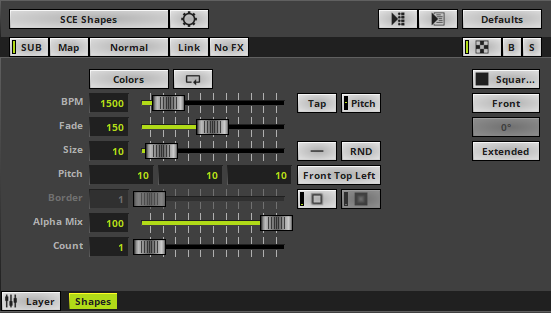
SCE Shapes creates various objects at random positions.
 |
|
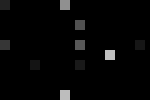 Default Settings |
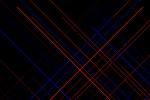 Customized Example |
▪This MADRIX Effects supports Effect Options for advanced workflows.
Learn more »Effect Options
▪Various buttons and controls have universal functions. They are available for each MADRIX 5 Effect / Layer.
Learn more »Effect Areas [Deck A / Deck B]
Learn more »Layers
This MADRIX 5 Effect uses the following, individual controls:
▪Colors - Opens the Color Table to specify the colors. The default color is White.
Learn more »[Global] Colors And Intensity
▪BPM - Defines the speed. The default value is 1500. Valid values range from 0 to 9999.
Learn more »Using BPM Control
▪Fade - Defines how fast objects disappear. The default value is 150. Valid values range from 1 to 3000.
▪Size - Defines the size of the objects [in % of the Matrix Size, depending on the Shape Alignment]. The default value is 10. Valid values range from 0.01 to 1000.
▪Pitch - Defines the distance between objects for all 3 axes [in % of the Matrix Size]. The default values are 10, 10, 10. Valid values range from 0.01 to 100.
▪Border - Defines the size of an object's border [in % of the shape size]. The default value is 1. Valid values range from 0.01 to 100.
▪Alpha Mix - Defines the upper limit of how much alpha is added to each object [in %]. Alpha Mix will be visible when using additional Layers. The default value is 100. Valid values range from 0 to 100.
▪Count - Defines the number of objects created at once. The default value is 1. Valid values range from 1 to 100.
|
Distribution - Allows you to choose a certain Distribution Mode for the specific parameter. Often, you can then define a minimum value and a maximum value. Uniform - Each object has the same size. RND - Generates random object sizes each time. This automatically activates Random Distribution Mode. |
|
Position Origin Type - Defines the point of origin of Shapes [and hence their relative position]. |
|
Outer Glow / Inner Glow - Is only available for specific Shapes. Defines the outer shimmer or inner gleam of objects [in %]. The default settings are 1.00. Valid values range from 0.01 to 100.00. |
|
Shape - Allows you to choose a specific shape for objects. A certain Size is required before a shape becomes visible. The default setting is Square Filled. |
|
Shape Alignment - Allows you to choose to which side objects are aligned to. This is mainly relevant for 3D. The default setting is Front. |
|
Shape Rotation Type - Is only available for specific Shapes. Defines the angle in which objects are rotated [0°, 90°, 180°, 270°, Random]. The default setting is 0°. |
|
Rendering Mode - Defines how objects are rendered. Each mode may enable additional settings [such as additional Shapes]. Choose from 2 different modes. The default setting is Extended. |


Restoring The Default Settings
|
Restore Default Layer Settings - Restores the default settings of the Layer. |

| MADRIX 5.8. |
| [Ctrl & +/-] = Zoom In/Out | [Ctrl & 0] = 100% |
|
Previous Next
|
|
Enable Automatic Translation | Activer La Traduction Automatique | 启用自动翻译 |