This topic includes:
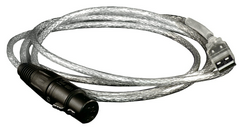
MADRIX USBone is a USB 2.0 DMX512 interface. It can be used for input [DMX-IN] or output [DMX-OUT].
The MADRIX USBone allows you to control 512 DMX channels using MADRIX. But an additional MADRIX KEY [i.e. a software license] is necessary.
| ▪ | Go to Preferences > Options... > Devices USB |
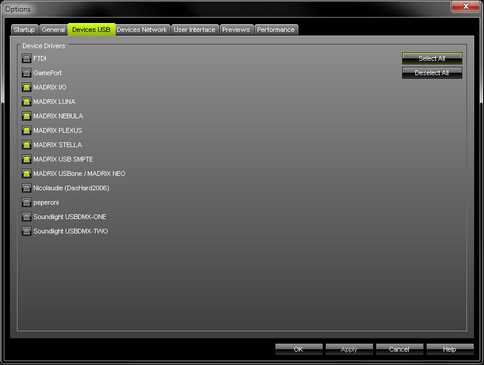
| ▪ | Activate MADRIX USBone / MADRIX NEO |
| ▪ | Click Apply to confirm. |
| ▪ | Click OK to close the window. |
The MADRIX USBone allows you to send or receive data via MADRIX using 512 DMX channels.
| ▪ | The USBone features a 5-pin, female XLR connector. |
| ▪ | If you want to use DMX-IN, please use a 5-pin XLR male to 5-pin XLR male gender changer. |
| ▪ | Please pay attention to license requirements as stated below. |
Learn more »DMX512 [DMX-OUT]
Learn more »DMX-IN / Art-Net Remote / sACN Input
Further Configuration
Remember to configure your light matrix in the »Matrix Generator or »Patch Editor
Make sure to save your MADRIX Setup after the configuration process.
To ensure interruption-free operation of the software and devices, please make sure to check the power-saving settings of Windows.
Learn more »PC Power Management
| ▪ | Regarding the USBone, a MADRIX software license is not included. The MADRIX KEY is necessary for the USBone if you want to use DMX Output [DMX-OUT]. No license is required for DMX Input [DMX-IN]. |
| ▪ | Up to 60 interfaces can be connected to a USB host controller without having any frame rate problems. Please connect every USBone to an active USB 2.0 port or use a USB 2.0 hub with a power supply. |