This topic includes:
The MADRIX NEBULA supports RDM in the way that it can act as an RDM Responder.
This means that the device acts on commands and replies to requests with its own status and sensor data via ArtRdm [RDM Responder].
Make sure that the ArtRdm is enabled in the settings of the device.
Learn more »Web Configuration [Ethernet]
Overview
You can use software like MADRIX RADAR to use and monitor the RDM functionality.
Devices
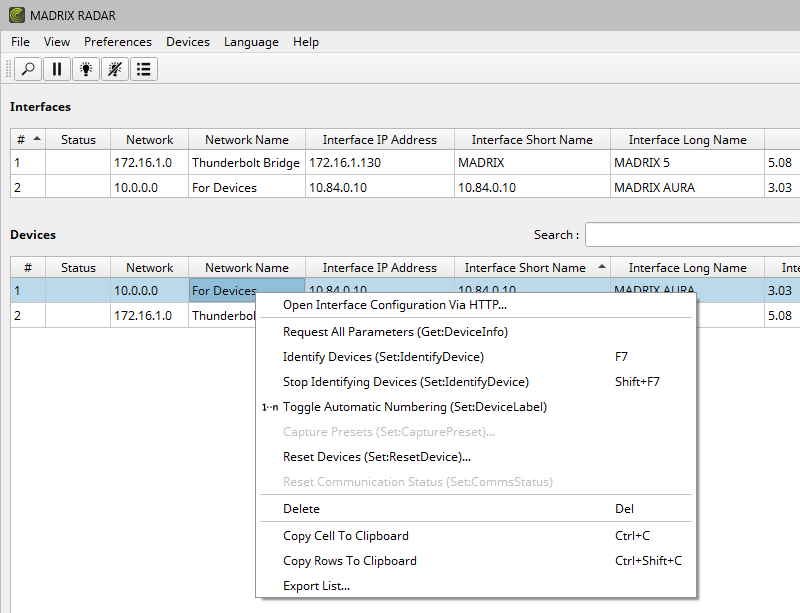
You can restart the device [Reboot System] over RDM via RDM command RESET_DEVICE.
▪In MADRIX RADAR, select your unit from the list of Devices and perform a right-mouse click > Reset Devices (Set:ResetDevice)...
▪0x01 - WarmStart and 0xFF - ColdStart will reboot the system.
Parameters

Sensors

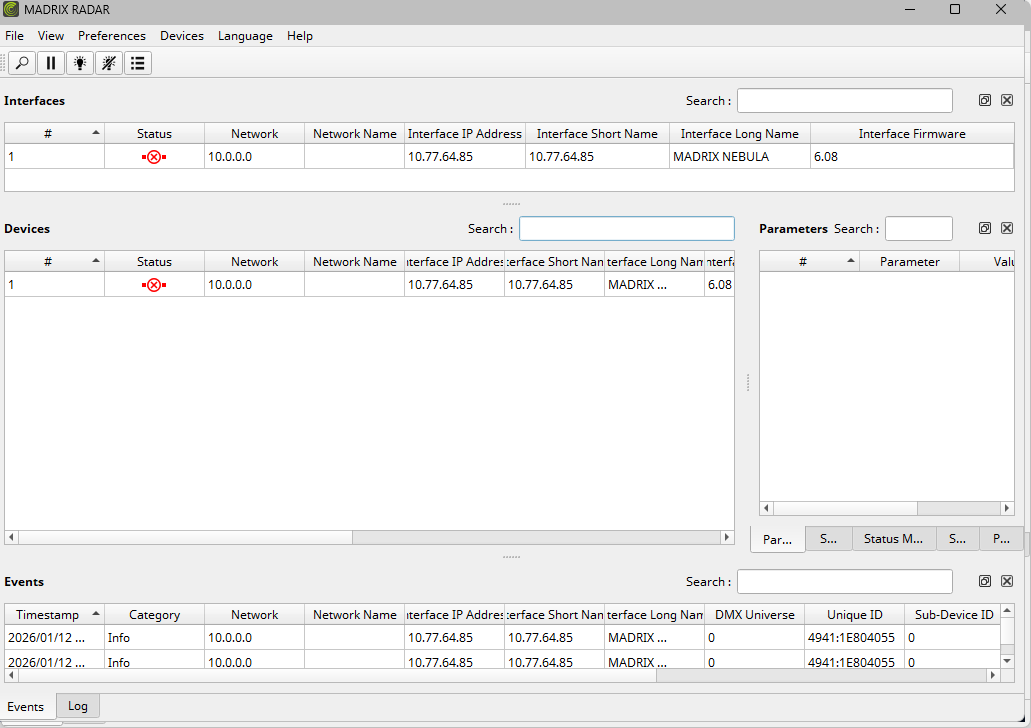
Device Lost
MADRIX RADAR also monitors if the connection to a controller has been lost.
More Information
Learn more about MADRIX RADAR on the product website or user manuals. See »Web Links
| MADRIX NEBULA User Manual 6.12. |
| [Ctrl & +/-] = Zoom In/Out | [Ctrl & 0] = 100% |
|
Previous Next
|
|
Enable Automatic Translation | Activer La Traduction Automatique | 启用自动翻译 |