This topic includes:
▪MADRIX 5 Unknown Error During Startup
▪Using NVIDIA Workstation Graphics Cards
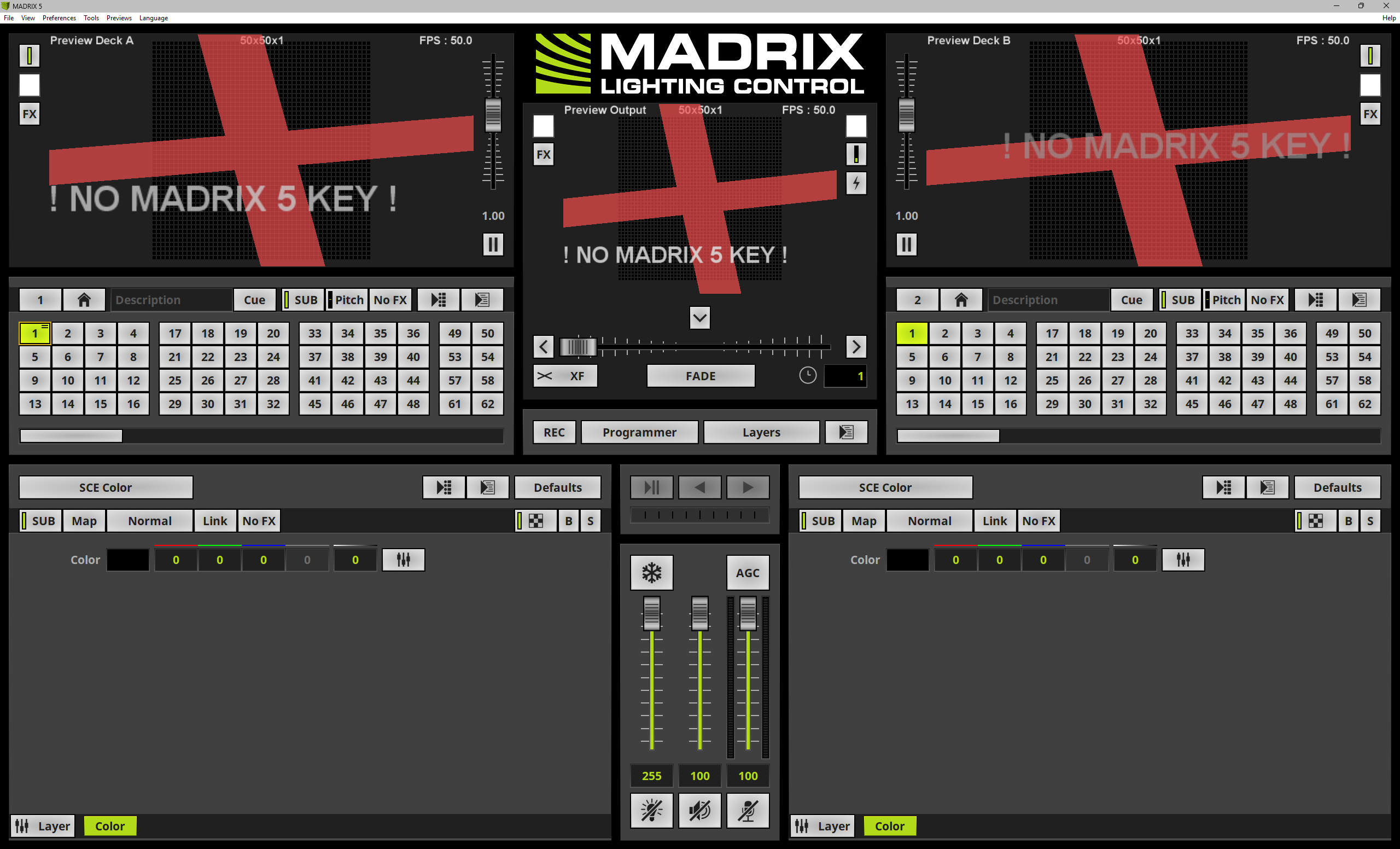
If you are seeing colorful, rotating crosses on the three Previews, it means that demo mode is active and that a MADRIX KEY with a valid MADRIX 5 software license is not connected.
MADRIX 5 Unknown Error During Startup
The error message reads:
An unknown error occurred!
If you are seeing this error message when trying to start MADRIX 5, try the following steps:
▪In order to load your project, go to menu File > Open Setup...
▪Check if another instance of MADRIX 5 is already or still running in this or in another user account. Such instances must be closed first. You can use the Windows Taskbar or Windows Task Manager.
▪Re-install the MADRIX KEY driver from the installation directory MADRIX5 > drivers > wibu.
▪Virtual USB drivers or USB bus emulators and their *.sys files can prevent a successful start and would have to be removed first.
▪If MADRIX 5 is still not able to launch, re-install the software.
Using NVIDIA Workstation Graphics Cards
When using an NVIDIA Quadro/RTX AXXXX graphics card, please set up the following settings:
▪In Windows 11, go to Desktop > Right Mouse Click > NVIDIA Control Panel > 3D Settings > Manage 3D settings > Global Settings > Global presets: > Choose Workstation App - Dynamic Streaming > Click Restore > Click Apply
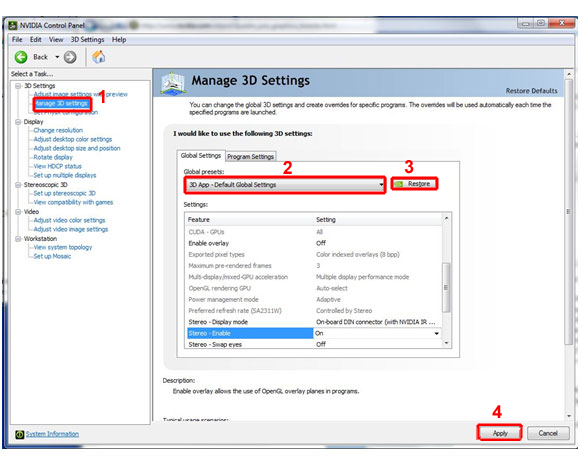
MADRIX 5 will show a message to you on the first start should you not have activated the preset yet.
MADRIX 5 might show the following error message:
▪Preview Disabled
Invalid OpenGL Version : 1.1
Minimum Required Version : 2.1
If the Previews show this error message, it means that there is a problem with the graphics card of the computer:
▪The graphics card might be too old and might not support OpenGL 2.1.
▪The driver of the graphics card for the Windows operating system might be outdated.
To solve the issue:
▪Check if your computer's graphics card supports OpenGL 2.1. If it is not supported, your computer/the graphics card does not meet the minimum requirements of MADRIX 5. Please upgrade to a newer graphics card, which supports OpenGL 2.1.
▪Download and install the latest driver version for your graphics card in order to update the driver. [You might need to restart the computer afterwards.]
| MADRIX 5.8. |
| [Ctrl & +/-] = Zoom In/Out | [Ctrl & 0] = 100% |
|
Previous Next
|
|
Enable Automatic Translation | Activer La Traduction Automatique | 启用自动翻译 |